End to end HR employee replication with delta handling and error recovery.



Become a Certified Control-M Administrator and Master Enterprise Workload Automation,CONTROL-M Admin Training in Hyderabad – Real-Time Live Projects Training in Hyderabad,Ameerpet,KPHB@7993762900
We offers India’s No.1 CONTROL-M Admin Training in Hyderabad with global certification and 100% placement assistance. We provides industry-focused Control-M Training in Hyderabad, covering workload automation, job scheduling, workflow design, and enterprise batch management with real-world scenario Training institute in Hyderabad,Bangalore,Pune,Chennai,Delhi,india,US,UK,Canada,Dubai
Join our CONTROL-M Admin Training Institute in Hyderabad and ignite your CONTROL-M Admin IT career future with high-paying job opportunities in leading global companies.
Ctrl-M Course Online,Classroom,One-to-One, Corporate real time Live Projects Training institute in Hyderabad,Bangalore,Pune,Delhi,Mumbai,USA, UK,Canada,Dubai,Middle East,Japan,United Kingdom, Sri Lanka, Bangladesh, Philippines, Australia, Malaysia, Singapore, South Africa, UAE, Dallas,TX,Ameerpet,KPHB,Hi-tech City,Kondapur,Gachibowli
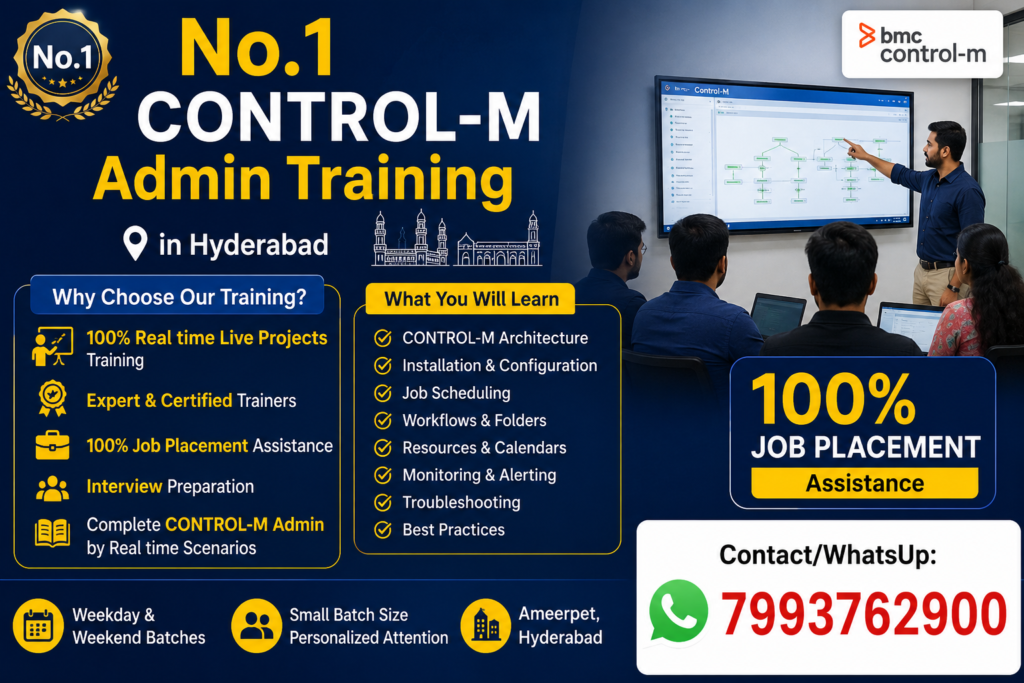
No.1 CONTROL-M Admin Advanced Course Content Training in Hyderabad@7799623005
Module 1: Introduction to Control-M
- Enterprise Batch Processing
- Workload Automation Concepts
- Control-M Architecture
- Control-M/Enterprise Manager
- Control-M Server
- Control-M Agent
- Installation Overview
Module 2: Control-M Administration
- Installation & Configuration
- Server Administration
- Agent Installation
- User Management
- Role-Based Security
- Database Configuration
- Licensing
Module 3: Job Scheduling
- Creating Jobs
- Calendars
- Scheduling Policies
- SMART Folders
- Cyclic Jobs
- File Watchers
- Event-Based Scheduling
Module 4: Monitoring & Operations
- Active Jobs
- Alerts
- Notifications
- Logs Analysis
- Troubleshooting Failed Jobs
- SLA Management
- New Day Process
Module 5: Advanced Administration
- High Availability
- Disaster Recovery
- Migration
- Backup & Restore
- Automation API
- SSL Configuration
- Housekeeping Activities
Module 6: Integrations
- Linux
- Windows
- UNIX
- Oracle
- SQL Server
- SAP
- Informatica
- Hadoop
- Cloud Integrations
Module 7: Real-Time Production Support
- Incident Management
- Change Management
- Root Cause Analysis
- Production Issues
- Performance Tuning
- Best Practices
Module 8: DevOps Integration
- Automation API
- REST API
- Jenkins
- Git
- CI/CD Integration
Live Project
- Enterprise Banking Batch Processing
- Insurance Batch Automation
- Retail Order Processing
- Healthcare Data Processing
- Financial End-of-Day Batch Processing
Who Can Attend?
- System Administrators
- Linux Administrators
- Production Support Engineers
- Application Support Engineers
- DevOps Engineers
- Database Administrators
- Freshers with Linux Knowledge
Prerequisites
- Basic Linux/UNIX Knowledge
- Basic Database Concepts
- Basic Networking Knowledge (Preferred)
Job Roles After Training
- Control-M Administrator
- Workload Automation Engineer
- Batch Scheduler
- Production Support Engineer
- Application Support Engineer
- Automation Engineer
- Middleware Administrator
Countries with High Demand
- 🇮🇳 India (Hyderabad, Bangalore, Pune, Chennai)
- 🇺🇸 United States
- 🇬🇧 United Kingdom
- 🇨🇦 Canada
- 🇩🇪 Germany
- 🇦🇪 Dubai (UAE)
- 🇸🇬 Singapore
- 🇦🇺 Australia
- 🇳🇱 Netherlands
- 🇮🇪 Ireland
Official Learning Topics
BMC recommends administrator training that covers:
- Control-M Architecture
- Enterprise Manager Administration
- Server & Agent Administration
- Job Lifecycle
- New Day Processing
- Security & Role Management
- Automation API
- High Availability
- Troubleshooting and Monitoring
Contact
CONTROL-M Admin Training in Hyderabad
📍 Classroom | Online | Corporate | One-to-One
🎯 Real-Time Live Projects
💼 100% Job Assistance
📞 Contact/WhatsApp: 7993762900
NO.1 SAP CPI BTP Integration Suite Training institute in Hyderabad@7993762900
SAP BTP CPI/CI – Detailed Advance Course Content
WHAT You Will Master After Our SAP BTP CPI Training Course@7993762900
- Cloud integration Master(CPI/CI)
- APIM(API Mangaement)
- TPM(Trading Partner Management
- IA(Integration Advisor)
- AEM(Advanced Event Mesh)
- Open Connectors
- MIA(Migration Assessment)
- Groovy Script
- Cloud Connector
- CTMS(Cloud Transport Management)
1. Introduction to SAP Cloud Integration Services
- Overview of SAP BTP Integration Suite services
- Understanding the SAP BTP Cockpit interface
- Introduction to iPaaS (Integration Platform as a Service)
- Core capabilities of SAP Cloud Integration Suite
- CPI Architecture – key components & runtime
- Navigating the CPI Web UI: Discover, Design & Monitor spaces
2. Designing & Executing Your First Integration Scenario
- Introduction to pre-delivered integration content in SAP API Hub
- How to consume and customize prepackaged content
- Creating and managing a custom content package
- Designing, deploying, and testing a custom integration flow (iFlow)
- Building inbound and outbound integration flows
·
3. Getting Started with SAP CPI Tenant Access
- Registering with SAP ID Service
- Signing up for SAP BTP Cockpit
- Creating Sub-Accounts & Spaces
- Subscribing to Integration Suite
- Provisioning & configuring the Integration Suite tenant
- Assigning appropriate user roles & authorizations
- Creating and managing service instances
4. Simulating an Integration Flow
- What is an Integration Flow Simulation and why it’s important
- Key benefits of running simulations before deployment
- Overview of simulation functionalities in CPI
- Step-by-step guide to configure simulation settings
- Analyzing simulation results for validation
5. SAP Cloud Integration Operations
- Monitoring message processing & operations
- Managing and versioning deployed integration artifacts
- Handling & maintaining security material
- Payload monitoring & persistence best practices
- Using trace functionality for debugging issues
- Configuring number ranges in CPI
- Performing connectivity tests with external systems
- Adding custom headers in Message Processing Log (MPL)
6. SAP Cloud Integration Adapters
Learn how to configure and work with various adapters, including:
- HTTP Adapter
- HTTPS Adapter (including CSRF token handling)
- Mail Adapter
- OData Adapter
- SOAP Adapter
- SFTP Adapter
- Process Direct Adapter
- Open Connectors
- JMS Adapter
- Kafka Adapter
- JDBC Adapter
- AMQP Adapter
- DataStore Operations
7. SAP CPI Security & Connectivity
- Transport-Level Security (TLS) for secure connections
- Message-Level Security (MLS) for sensitive data
- Implementing certificate-based communication
- Creating & managing secure user credentials
- Configuring OAuth 2.0 authentication
- Handling CSRF token-based authentication
- Using PGP encryption/decryption for payload security
8. Pallet Options in CPI (with Real-Time iFlow Examples)
Explore all CPI Pallet options with practical examples:
- Participant Pallets: Sender, Receiver
- Process Pallets: Integration Process, Local Integration Process, Exception Subprocess
- Event Pallets: Start Events, End Events, Error Events, Escalation Events, Timer Events, Termination Events
- Connector Pallets: Linking flow steps
- Transformation Pallets:
- Graphical Message Mapping
- XSLT Mapping
- Content Modifier
- Filter & Converters
- XML Modifier
- Script Pallets: Groovy Scripting, JavaScript
- Call Pallets: Process Call, Looping Process Call, Poll Enrich, Content Enricher, Request-Reply, Idempotent Process Call
- Routing Pallets: Aggregator, Join, Gather, Router
- Splitter Pallets: General Splitter, Iterating Splitter, Zip Splitter, IDoc Splitter
- Multicast Pallets: Sequential Multicast, Parallel Multicast
- Persistence Pallets: Write Variables, Data Store Operations (Write, Get, Select, Delete, Persist)
- Validator Pallets: XML Validator
9. Groovy Scripting in CPI
- Basics of Groovy Scripting for CPI
- Accessing message body, headers, and exchange properties
- Implementing dynamic configurations using scripts
- Externalizing parameters for reusable integration flows
10. Practical Scenarios & Proof of Concepts (POCs)
Hands-on implementation of integration use cases:
- HTTPS → Mail integration
- HTTPS → HTTP scenario
- SFTP → HTTP integration
- SOAP → Mail flow
- SOAP → SOAP interface
- HTTPS → Process Direct scenario
- HTTP → OData service integration
- HTTP → Event Mesh integration
- Implementing Value Mapping
11. Adapter Configuration Concepts (Simulation)
Conceptual learning of additional adapters where direct system connectivity is not possible:
- SuccessFactors Adapter – Overview & Configuration
- Ariba Adapter – Overview & Configuration
- IDoc Adapter – Overview & Configuration
Additional topics covered:
- Configuring CSRF Authentication
- Implementing OAuth Authentication
- Using PGP encryption for secure payload exchange
- Renaming and managing iFlow versions
- Understanding Message Status in CPI
- Unlocking Design-time Artifacts
- Setting up iFlow log levels
- Introduction to API Management (API-M)
- Using Integration Advisor
- Cloud Connector (CC) setup basics
- Overview of Event Mesh
12. End-to-End Project Implementation
- Different types of CPI/CI projects (Greenfield, Migration, Hybrid)
- Roles & responsibilities in SAP CPI projects
- Walkthrough of one complete end-to-end integration project
13. Tools & Utilities Covered in Training
You’ll gain hands-on exposure to commonly used tools in SAP CPI projects:
- SAP BTP Cockpit for administration
- SAP CPI Web UI for design & monitoring
- Postman for REST API testing
- SoapUI for SOAP/REST services testing
- FileZilla for SFTP operations
- Notepad++ for XML/JSON editing
- CPI Helper (browser extension for enhanced CPI monitoring)
Real-Time Projects – Pune-Centric Use Cases
- S/4HANA → SuccessFactors integration with user synchronizations
- SAP ECC → Salesforce CRM sync
- Order Notification via HTTPS → Mail from Pune’s retail clients
- Pune hospital interface: SOAP to PGP encrypted SFTP
- IoT Event ingestion: HTTP → Event Mesh → OData reporting flow
- Payroll data alert: SFTP → HTTP → API-M → internal analytics
We Also SAP Course Syllabus & Modules Covered@7993762900
SAP BW (Business Warehouse) Real time Live Projects Training institute in Hyderabad
SAP TM (Transportation Management) Training institute in Hyderabad
SAP QM (Quality Management) Training institute in Hyderabad
SAP PP (Production Planning) Training institute in Hyderabad
SAP HCM (Human Capital Management) Training institute in Hyderabad
SAP ABAP (Advanced Business Application Programming) Training institute in Hyderabad
SAP S/4HANA (SAP Business Suite on HANA) Training institute in Hyderabad
SAP FICO (Finance & Controlling) Training institute in Hyderabad
SAP MM (Materials Management) Training institute in Hyderabad
SAP SD (Sales & Distribution)Training institute in Hyderabad
SAP EWM (Extended Warehouse Management) Training institute in Hyderabad
SAP Service Factor (Customer Service / Service Management) Training institute in Hyderabad